Kelki searches.A network administrator calls you back.
Free · No obligation · A few clicks
Your need in one click
2.2 M+companies in our trades in CanadaYour request goes to the network administrators in your area.
$0for your requestFree, no obligation, confirmed by you.
30 sto make your requestService, timeframe, town: a few clicks, and a professional calls you back.
Network Administrator nearby
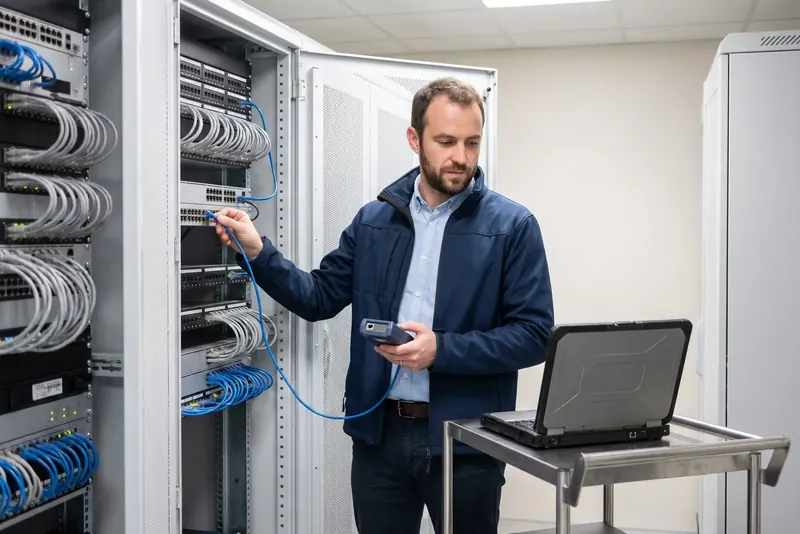
A skilled Network Administrator offering reliable managed network services to secure and manage your workplace IT systems.
Get professional managed network services from an experienced Network Administrator to design, install, and look after your organization's IT infrastructure. They keep your wired lines, wireless points, servers, and remote connections working smoothly day in, day out. This pro safeguards your data against security breaches and resolves frustrating connection outages fast.
The project starts with a detailed discussion about your IT setup and everyday business needs. The specialist carries out an audit of your existing hardware or sets up brand‑new equipment. They configure every device, apply robust security protocols, and test data transfer speeds before handing over full technical documentation.
Your areaEverywhere in CanadaYour request goes to the network administrators around you.
Your request · Network Administrator
Which service do you need?
Free · No obligation
Managed network services
Common service
Wi‑Fi Router Installation
A pro sets up and configures your business router to connect your premises reliably to the internet. They manage IP address ranges, configure encryption protocols, and create secure guest accounts. This service is ideal when moving into new offices, switching broadband providers, or replacing old hardware.
Free · No obligation
Common service
Wi‑Fi Signal Optimization
The specialist tests radio signal strength across your premises to eliminate awkward dead spots. They install supplementary access points, adjust wireless channels, and balance network traffic across devices. Book this job if your team constantly suffers from dropped connections or sluggish wireless speeds.
Free · No obligation
Common service
Ethernet Cabling
The professional runs structured data cabling, fits the patch panel, and connects each wall faceplate neatly. They check signal continuity throughout and label every line to keep future maintenance simple. It is essential when fitting out new office space or linking desktop computers directly.
Free · No obligation
Common service
Firewall Installation
The specialist places a dedicated hardware firewall between your internal network and external internet traffic. They set filtering rules, block suspicious traffic, and segregate confidential servers. Call this pro to protect work computers against unauthorised intrusions and emerging online threats.
Free · No obligation
Common service
VPN Configuration
The provider builds a secure virtual private network to connect hybrid staff and remote premises directly to your central server. They set up strict encryption and two‑factor authentication throughout. This allows your team to access company files remotely and safely from any location.
Free · No obligation
Common service
NAS Installation
The pro installs network‑attached storage hardware to keep your team's everyday work files centralised in one place. They set up RAID disk mirroring, organise shared folders, and define individual user access permissions. A great solution to share company data without relying on external subscriptions.
Free · No obligation
Common service
Automated Backup Setup
The specialist builds an automated backup system to protect your essential business information. They schedule scheduled copies to external hard drives or off‑site cloud storage, testing data recovery procedures thoroughly. This protects your enterprise from data loss if hardware fails unexpectedly.
Free · No obligation
Common service
Internet Connection Troubleshooting
The pro investigates connection dropouts and outages that interrupt your business operations. They test your incoming broadband line, check your router, and replace damaged cables or malfunctioning network switches. This service restores stable internet connectivity and gets your business back online fast.
Free · No obligation
When to call a Network Administrator
K
Is this your situation? A professional in your area calls you back to discuss it.Free · No obligation
Check that the specialist holds relevant computer science qualifications or formal hardware manufacturer certifications.
✓Request proof of commercial general liability and professional errors and omissions insurance, which are crucial when carrying out work on live business systems.
✓Always ask for a written estimate that clearly details proposed equipment, software licenses, and expected working time.
✓Inquire about continuity plans to avoid disruptive downtime during system setup.
✓Be cautious of vague proposals that leave out exact hardware brands or omit technical network schematics.
✓A reliable pro always hands over full administrative master credentials and complete technical schematics once the installation is done.
What makes the price of a Network Administrator
The total price depends mainly on the factors below. The exact amount to pay is set out on the estimate provided by your pro for your specific requirements.
What affects the price
Number of workstations, printers, and servers to connect
Size of your premises and cable routing complexity
Security specification and chosen network hardware
One‑off setup project or ongoing regular support contract
Good to know
Price rules vary by province: the information on this page applies nationwide.
Get a call back from a Network Administrator
For each service and each town, Kelki explains the essentials: the services, when to call a pro and pointers to choose well. With « Call me back », you describe your need in a few clicks: your request goes to a professional of the trade in your area, and you then deal with them directly.
Your requestFree
TradeNetwork AdministratorLocationEverywhere in CanadaServiceTo chooseTimeframeYou choose
A pro in your area calls you back · free
Your most common questions
What happens during the first on‑site visit?+
The pro reviews your existing hardware, internet subscriptions, and daily user access requirements. They check the condition of your network cabinet and map out existing wall points. They then provide a written breakdown detailing recommended equipment and the total price for the project.
What information should you prepare before they arrive?+
Gather your internet provider account details, router admin passwords, and current network credentials. Prepare a floor plan showing where desks, printers, and workstations need connecting. Make sure the server rack or telecom closet is tidy and fully accessible for the visit.
What credentials and documents can you ask to see?+
You can ask for evidence of commercial general liability and professional liability insurance to cover equipment damage. You may also ask to view IT network qualifications or recognized vendor accreditations. It is equally sensible to read reviews and ask for references from other local businesses.
What factors influence the total price of network installations?+
Costs vary depending on the total number of network drops and the length of trunking needed. The specifications of your chosen router, firewall units, and recurring software licenses also affect the total amount to pay. Configuration time and overall system complexity play a part too.
Does the specialist work on site or remotely?+
Running Ethernet cables, mounting wireless access points, and racking hardware must always be carried out on site. However, general software setup, proactive monitoring, and minor network troubleshooting can easily be managed via remote connection once secure links are established.
What documentation should you receive when the job finishes?+
The pro should provide a clear IP address schedule, an updated network diagram, and all master administrative passwords. They will also supply testing records confirming that each newly installed network point and wireless hub operates properly at target speeds.
Will the scheduled work cause IT downtime for our staff?+
Switching over to a new router, firewall, or central switch usually requires a short disruption. The pro will typically schedule these changeovers early in the morning, during lunch breaks, or outside office hours to avoid disrupting your daily business tasks.
Who keeps ownership of master network passwords?+
Your business always remains the sole owner of all network hardware, software, and administrative logins. The provider must give you all master administrative credentials as soon as the project is complete, even if you keep them on an ongoing support contract.
Need a Network Administrator?? Get a call back.
Free · No obligation · Describe your need in a few clicks
Network AdministratorEverywhere in CanadaNetwork administration request · Free · No obligationCall me back
K
Kelki AgentI connect you with pros in over 1,000 trades, in Canada.
Hello, I’m the Kelki Agent. Tell me what you need: I’ll find the right pro for you, close to home.
Messages are analyzed by an AI to understand your need, and are not stored. Privacy
Cookies
We use cookies to improve your experience and analyze site traffic. About our cookies